Steam Deck Thumb Grips: Anti-Slip Height Boost Upgrade
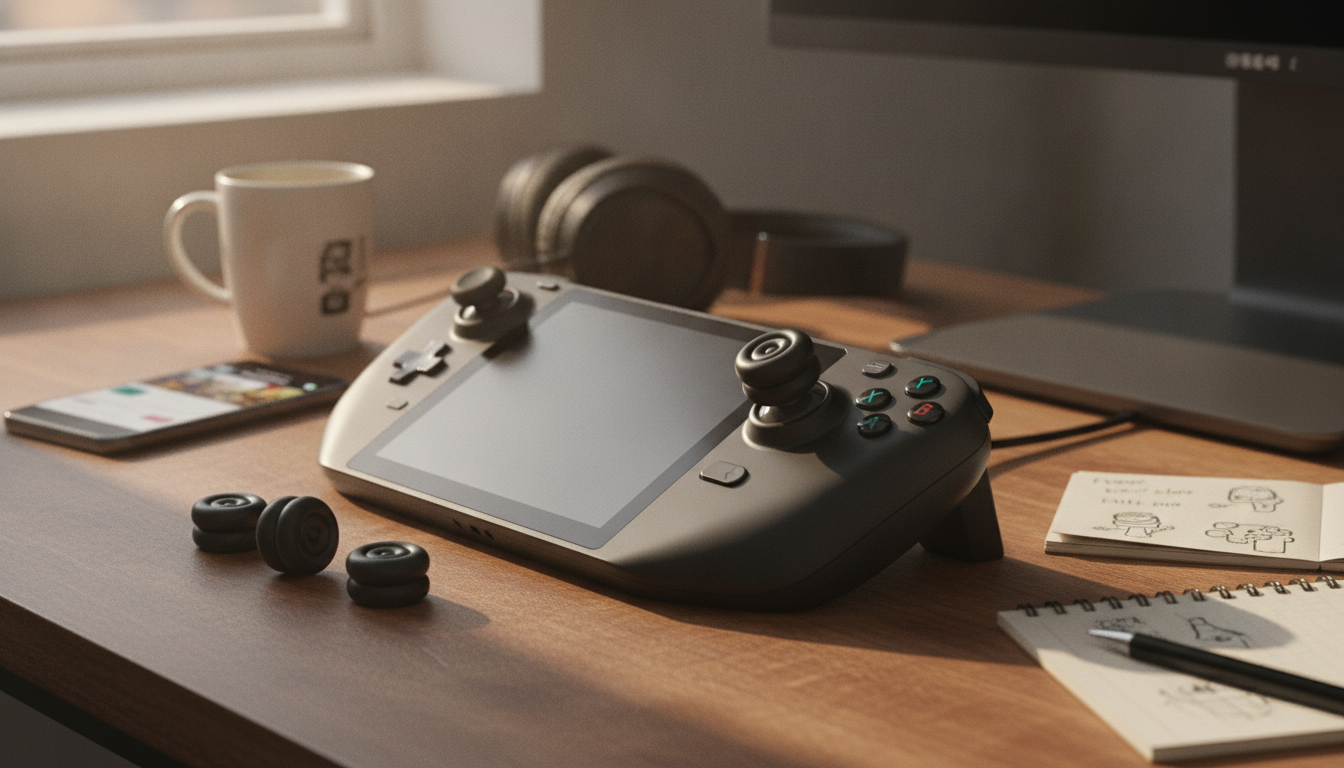
Anti-Slip Thumb Grips for Steam Deck: Why a Small Upgrade Feels Big
Thumbstick grips can change how the Steam Deck feels in hand—especially during long sessions or precision-heavy games. Height-boost cushion caps add a slightly taller contact point for finer control, while textured surfaces help reduce slipping from sweat or quick movements. This guide breaks down what height-boost thumb grips do, how they fit Steam Deck LCD and OLED models, and how to install and care for them so your controls stay consistent over time.
What Height-Boost Thumb Grips Change
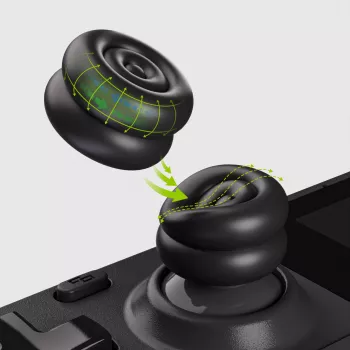
Height-boost grips are designed to sit on top of your existing thumbsticks, subtly changing the shape and feel of your contact point without permanently modifying the handheld.
- Slightly more leverage for micro-adjustments: A taller thumb contact point can make fine movements feel easier, which is helpful for gentle camera corrections and controlled aiming.
- Better traction during fast inputs: A textured anti-slip surface helps keep your thumb planted during quick turns, panic dodges, or long sessions where sweat can reduce grip.
- Cushioning for comfort: Softer materials can reduce pressure on the center of your thumb, easing fatigue when you’re playing for hours.
- More confidence without hardware changes: You get a different feel and improved stability while keeping the original sticks intact.
Fit and Compatibility for Steam Deck LCD and OLED
Steam Deck LCD and OLED models share the same general control layout, and quality grip caps are made to stretch-fit over the thumbstick tops. The goal is a snug, even “hug” around the stick surface—secure enough to resist twisting, but not so tight that edges lift or the cap deforms.
- Tool-free installation: The cap stretches over the existing stick without adhesives or screws.
- No wobble and no edge lift: If you can nudge the cap and feel it shift, it likely isn’t seated fully (or the stick/cap has oil buildup).
- Confirm full range of motion: After installing, move each stick to every edge and rotate in a full circle. The cap shouldn’t rub the stick ring or catch at diagonals.
- Clean and dry works best: Oils and dust are the #1 reason caps slip. A quick wipe improves grip immediately.
Grip Styles and When to Use Each
Not all thumb grips feel the same. Some prioritize traction; others focus on comfort; height-boost options often try to balance both. Choosing the right style depends on the games you play and how your hands behave during longer sessions.
Quick guide to common thumb grip outcomes
| Preference | What to look for | Best for |
|---|---|---|
| Maximum traction | Deeper texture, more pronounced ridges | Fast camera movement, sweaty hands |
| More precision | Height boost with stable, non-wobbly fit | FPS aiming, fine steering control |
| More comfort | Softer cushion feel, rounded edges | Long sessions, reduced thumb pressure |
| Minimal bulk | Thinner profile, moderate texture | Tight cases, quick pick-up-and-play |
Height boost can be especially useful in shooters, action RPGs, and any third-person game where the camera is constantly being adjusted. For platformers or casual play, the biggest wins are often comfort and reduced slipping rather than raw precision.
If you use a tight carrying case, it’s smart to check clearance after installation. Added height can cause pressure on the sticks during storage, which is something you want to avoid for long-term stick health.
Installation in Under Two Minutes
A clean install is what makes a cap feel “native” instead of like an add-on. The good news: the process is quick.
- Clean the sticks: Wash your hands, then wipe the thumbsticks with a microfiber cloth. If needed, use a small amount of isopropyl alcohol and let it fully dry.
- Press from the center first: Align the grip over the stick top and press down in the middle, then work around the edges until they’re fully seated.
- Center and tension: Rotate the cap slightly to ensure it’s centered and evenly tensioned all the way around.
- Test movement: Move the stick edge-to-edge and in full circles. If anything rubs, remove and re-seat the cap more precisely.
Dialing In Settings After Adding Height
For official guidance on Steam Deck and input behavior, Valve’s resources can be helpful: Steam Deck hardware info and Steam Support controller troubleshooting.
Comfort, Durability, and Care
- Rinse occasionally: If oils or dust reduce grip, remove the caps, rinse with mild soap and water, and dry completely before reinstalling.
- Avoid harsh cleaners: Strong solvents can degrade soft materials over time; mild cleaning is usually enough.
- Fix edge lift early: If edges begin to lift, clean the stick surface and re-seat the cap to restore friction.
- Store without pressure: Avoid cases or bags that constantly press on the sticks. For deeper device care references, iFixit’s repair resources are a solid starting point.
Troubleshooting Common Issues
Shop In-Stock Picks
- Anti-Slip Thumb Grips for Steam Deck LCD & OLED – Height-Boost Cushion Caps
- 23-Piece Professional Makeup Brush Set
- Elevated Ceramic Pet Bowl with Solid Wood Stand
FAQ
Do height-boost thumb grips affect stick accuracy on the Steam Deck?
They can improve control by adding leverage for finer micro-movements, but sensitivity may feel different at first. After installing, test full-range movement to ensure there’s no rubbing, then adjust sensitivity or dead zones if needed.
Will these thumb grips fit both Steam Deck LCD and OLED models?
Yes—when properly sized, they’re designed to stretch-fit over the thumbstick tops on both models. A correct fit sits evenly with no wobble or edge lift and allows full stick travel in every direction.
How do thumbstick grips stay on without adhesive?
They rely on stretch-fit tension and friction between the cap material and the stick surface. Keeping both surfaces clean and dry helps prevent sliding, and re-seating the edges restores grip if they loosen.














Leave a comment