1400 ANSI Lumen 4K Projector with WiFi & Dolby Audio
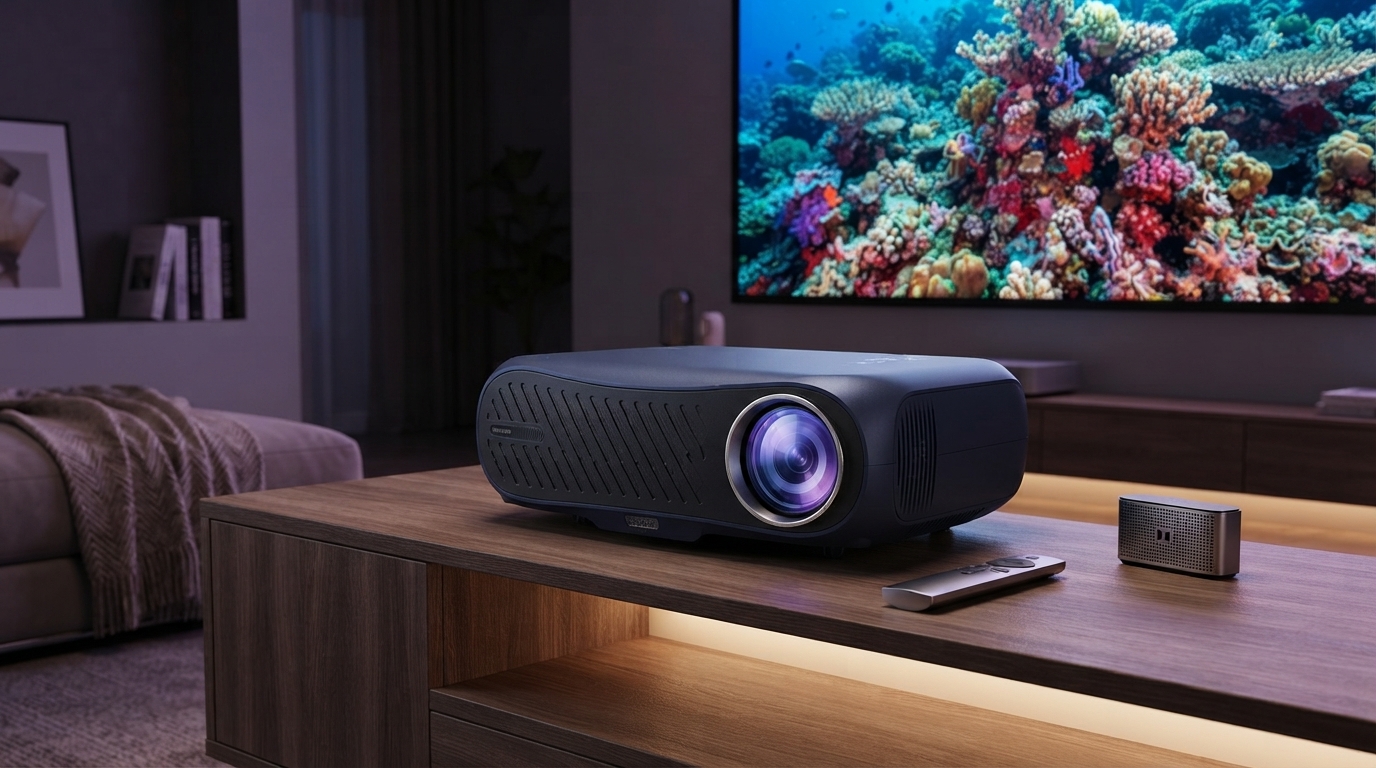
1400 ANSI Lumens 4K Ultra HD Home Theater Projector with WiFi & Dolby Audio
A bright, living-room-friendly projector can be the difference between a washed-out picture and a truly cinematic experience. This model pairs 1400 ANSI lumens with 4K Ultra HD detail, built-in WiFi for easy streaming workflows, and Dolby Audio support for fuller, clearer sound—aimed at movie nights, sports, and casual gaming on a big screen.
What This Projector Is Built For
- Big-screen viewing for movies and series in a home theater or multipurpose living room
- Sports and TV with enough brightness to hold up with some ambient light
- Simple wireless sharing/streaming setups where running cables is inconvenient
- Better dialog clarity and wider soundstage when paired with compatible audio playback
Key Specs at a Glance
Projector brightness and resolution claims can be confusing, so it helps to focus on standardized ratings and the real-world impact. “ANSI lumens” is a standardized way to express brightness, while 4K Ultra HD has an immediate effect on sharpness once the image grows past TV sizes.
| Spec | What It Means for Viewing |
|---|---|
| Brightness: 1400 ANSI lumens | More usable brightness in real rooms; helps preserve contrast with moderate ambient light |
| Resolution: 4K Ultra HD | Finer detail on large screens; improved text clarity and image sharpness |
| Wireless: WiFi | Flexible placement and simpler streaming/screen mirroring options (network dependent) |
| Audio: Dolby Audio support | Cleaner dialog and fuller sound when content/devices support Dolby formats |
For additional context on standards and formats, you can review the organizations behind them: ANSI (American National Standards Institute), Dolby Audio, and HDMI Licensing Administrator.
Brightness: Getting the Most from 1400 ANSI Lumens
1400 ANSI lumens is built for a brighter, more watchable image than many projectors that advertise non-standard “lumens.” In practical terms, it gives you more flexibility for living rooms where you may have window light or lamps nearby—while still rewarding you with the best black levels when you dim the space.
- Use in a dim or moderately lit room for the best balance of brightness and black levels.
- Pair with an appropriate screen (or a smooth, light-neutral wall) to improve perceived contrast.
- Reduce direct light hitting the screen area; even a small lamp can flatten the image.
- Select picture modes based on the situation: brighter mode for daytime, cinema mode for nighttime.
A helpful habit is to control the light that hits the screen first, then adjust the projector. Closing curtains and repositioning lamps often makes a bigger difference than cranking brightness to the maximum.
4K Ultra HD Detail: What Changes on a Big Screen
Once you project beyond typical TV sizes, resolution becomes more than a spec—it becomes the difference between “big” and “big and crisp.” 4K Ultra HD detail helps preserve fine textures and prevents edges from looking fuzzy when you sit closer.
- Sharper fine textures (hair, fabric, film grain) that can look soft at lower resolutions.
- Cleaner subtitles and UI elements when streaming or gaming.
- Improved perceived depth when combined with good focus and correct screen alignment.
- Best results come from high-quality 4K sources and proper image settings (sharpness kept moderate).
To keep the image natural, avoid pushing “sharpness” too high. A moderate setting usually delivers crisp detail without halos around text or faces.
WiFi and Streaming: Practical Ways to Use Wireless
WiFi can simplify a living-room setup: fewer cables, easier placement, and convenient screen sharing when friends want to show clips or photos. The key is treating wireless as a comfort feature—not always the highest-performance path for every scenario.
- Connect to a stable 5 GHz network (when available) to reduce buffering and latency.
- For the most reliable playback, use a dedicated streaming device when possible and keep it updated.
- Place the router within strong signal range; avoid blocking the signal with cabinets or dense walls.
- If wireless playback stutters, switch to wired sources (HDMI) for consistent high-bitrate video.
If you’re streaming 4K movies with high bitrates or using a game console, a wired HDMI connection is often the smoothest route for picture stability and responsiveness. WiFi is excellent for convenience, quick sharing, and flexible placement when cable runs aren’t practical.
Dolby Audio: Clearer Dialog and More Spacious Sound
Dolby Audio support is designed to handle compatible audio formats and processing so voices remain clearer and the overall mix feels more balanced. That matters most with movies and shows where dialog can get buried under music and effects.
Setup and Placement: Fast Path to a Straight, Focused Image
Best-Use Scenarios and Tips
Care, Noise, and Long-Term Performance
Available Products
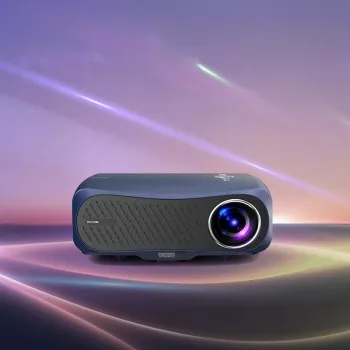
- 1400 ANSI Lumens 4K Ultra HD Home Theater Projector with WiFi & Dolby Audio — $655.17
- Elevated Ceramic Pet Bowl with Solid Wood Stand — $48.97
- 23-Piece Professional Makeup Brush Set — $12.67
FAQ
Is 1400 ANSI lumens bright enough for a living room?
It can be, especially because ANSI lumens is a standardized brightness measurement rather than a marketing-only number. You’ll get the best results with controlled light (curtains, lights aimed away from the screen) and a suitable screen or smooth neutral wall.
Does WiFi replace HDMI for streaming and best picture quality?
WiFi is great for convenience and quick sharing, but HDMI is typically the most stable option for 4K/high-bitrate video and the lowest-latency path for gaming. For critical viewing or competitive play, a wired HDMI connection is usually the most consistent.
What does Dolby Audio change when using a projector?
Dolby Audio support helps handle compatible audio formats and can improve perceived clarity and balance on supported content. For more cinematic impact—especially bass and room-filling volume—pairing with a soundbar or AVR still makes the biggest difference, and device audio output settings should be set to a compatible format.














Leave a comment